 RotorLab
The same bench that sizes your aircraft builds the case for it. Design on a validated physics engine, freeze it as a type, and every serial you ship carries a verifiable record with its own code. When a buyer, a prime, or a regulator asks how you know it conforms, the answer is a link, not a scramble.
Most design tools stop at a model on a screen. RotorLab sizes the aircraft on a published flight-physics engine, calibrates it against the drone you actually bench-tested, and keeps every number — so the moment you freeze the design, your airworthiness case has already started writing itself.
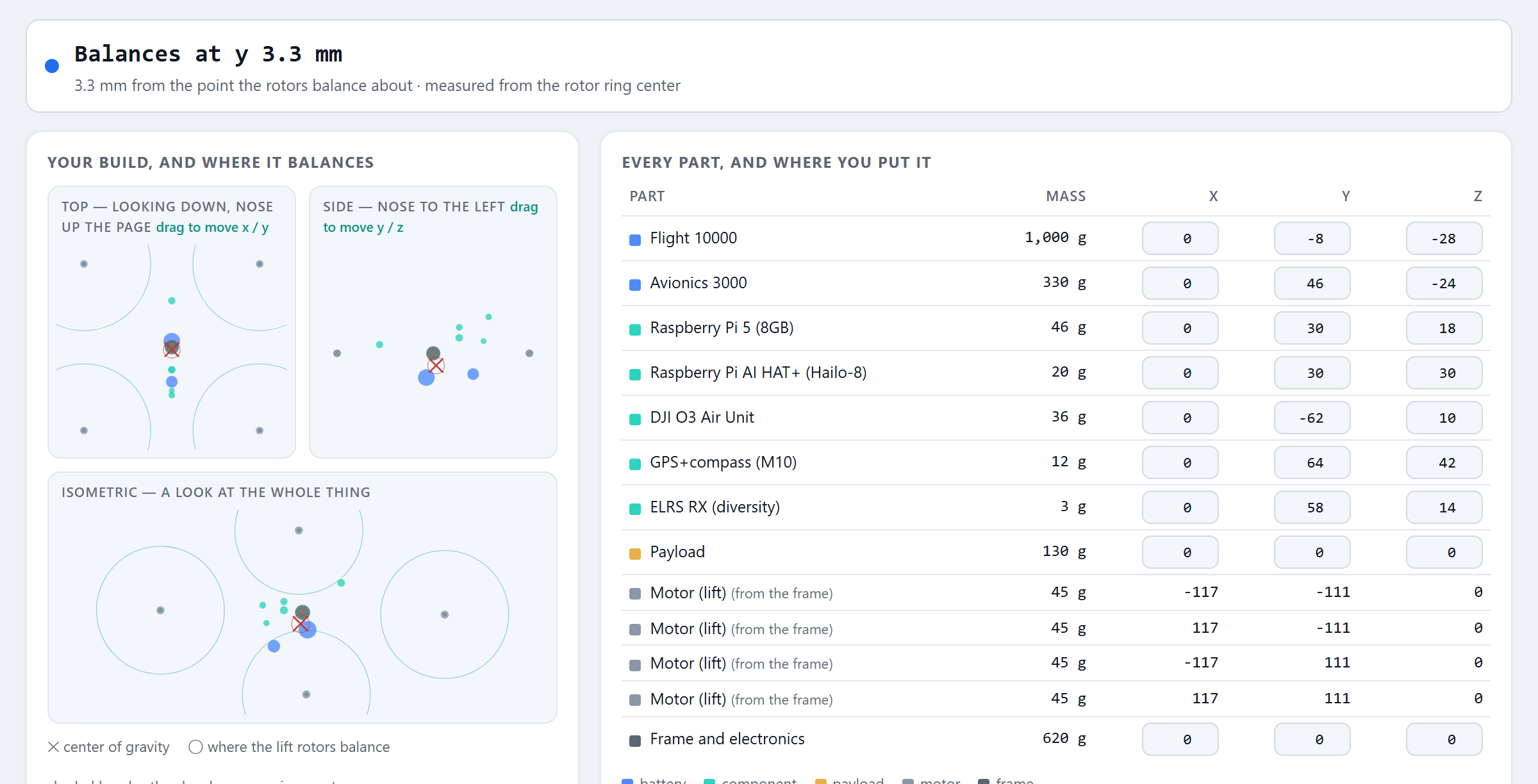
Place every component in 3D — flight pack, companion computer, payload, each motor — and watch the center of gravity, and the point your lift rotors balance about, move as you do. The margins that land on your type baseline are measured, not eyeballed.
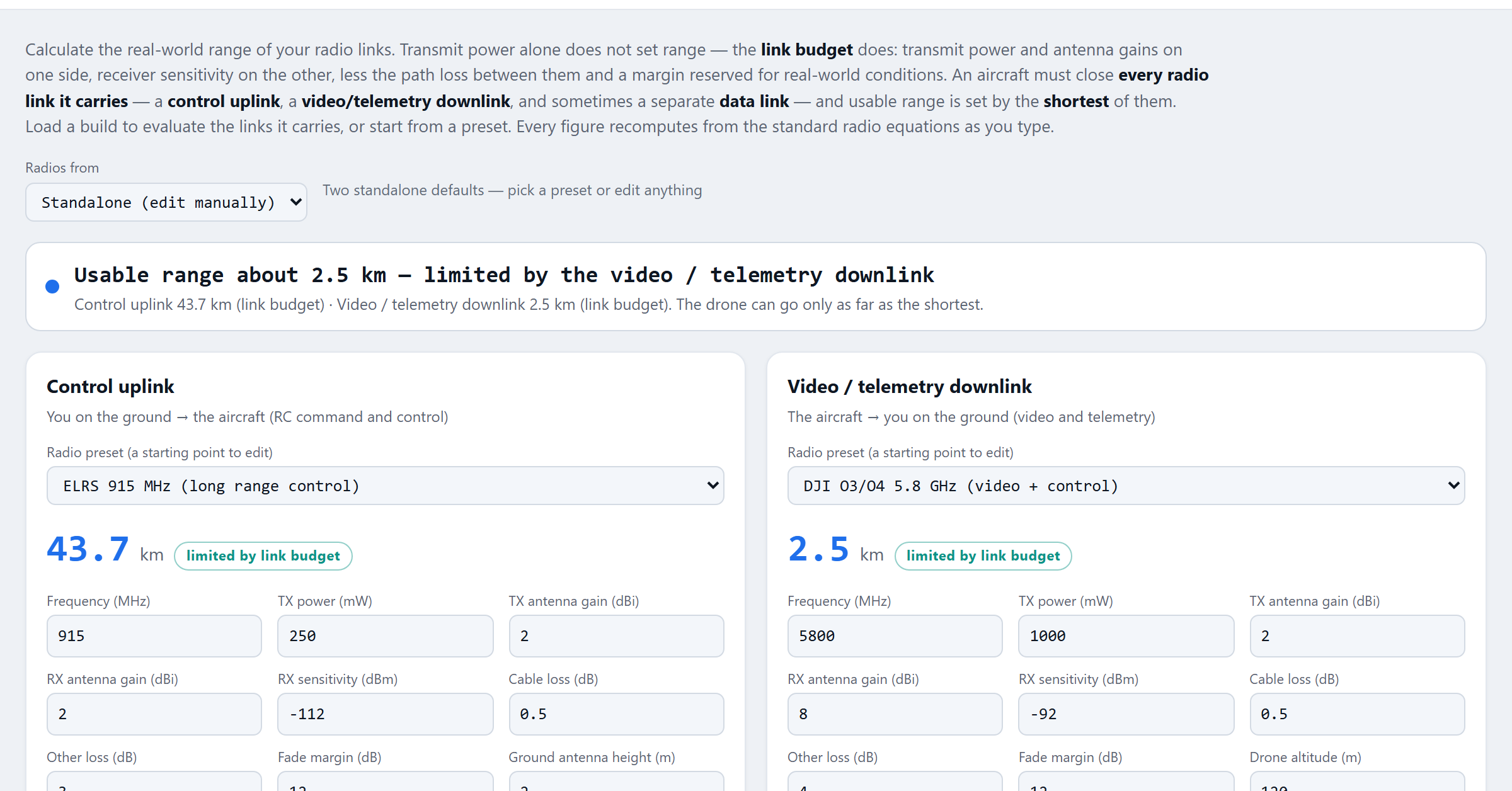
Control, video and telemetry link budgets straight from the standard radio equations — and the real usable range, set by the shortest link the aircraft actually carries, not the most flattering one. Load a build and it evaluates the radios that build flies.
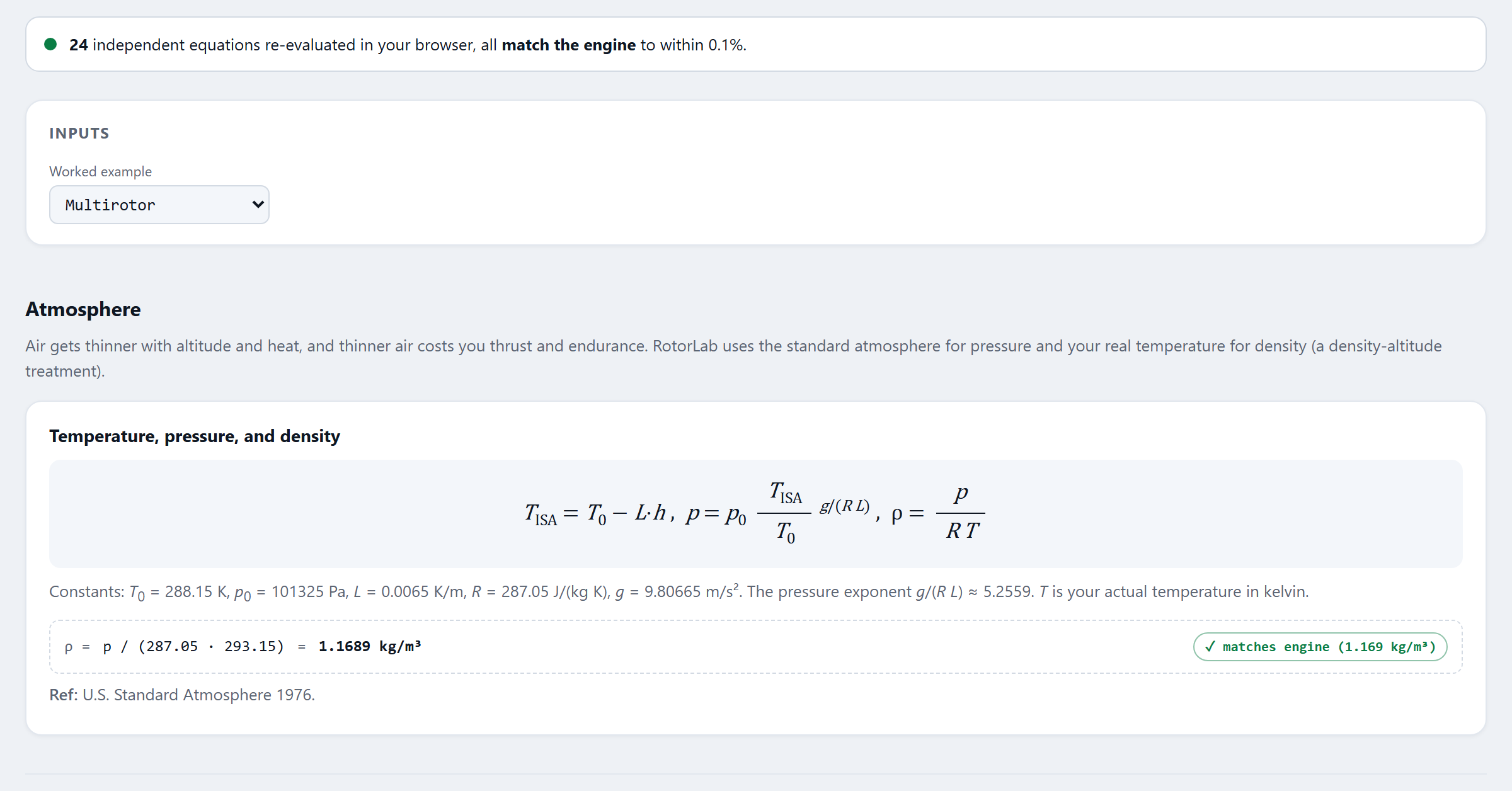
Thrust, endurance, hover margin and density-altitude come from two dozen governing equations — and the Math & Validation page re-runs every one of them in your browser, agreeing with the engine to a tenth of a percent. Nothing to take on faith, ours included.
Bench-test telemetry calibrates the model to the aircraft you actually built, so the performance numbers that land on your type baseline are the ones you measured — the same numbers a buyer will hold you to.
The airframe you sized in the Builder becomes a frozen type: the exact parameters and the approved performance numbers, hashed so nobody can quietly move them later.
A requirement matrix lives on the type — each item with its evidence link, its status, and the name of whoever signed it. Marking a requirement met without evidence is not an option the software offers.
Each serialized aircraft gets its conformity record against the baseline; deviations need written notes. Service bulletins fan out to per-serial work orders with closure you can prove.
Your maintenance intervals and inspection criteria ride out to every operator of the type as instructions for continued airworthiness — not a PDF they lose, a living record.
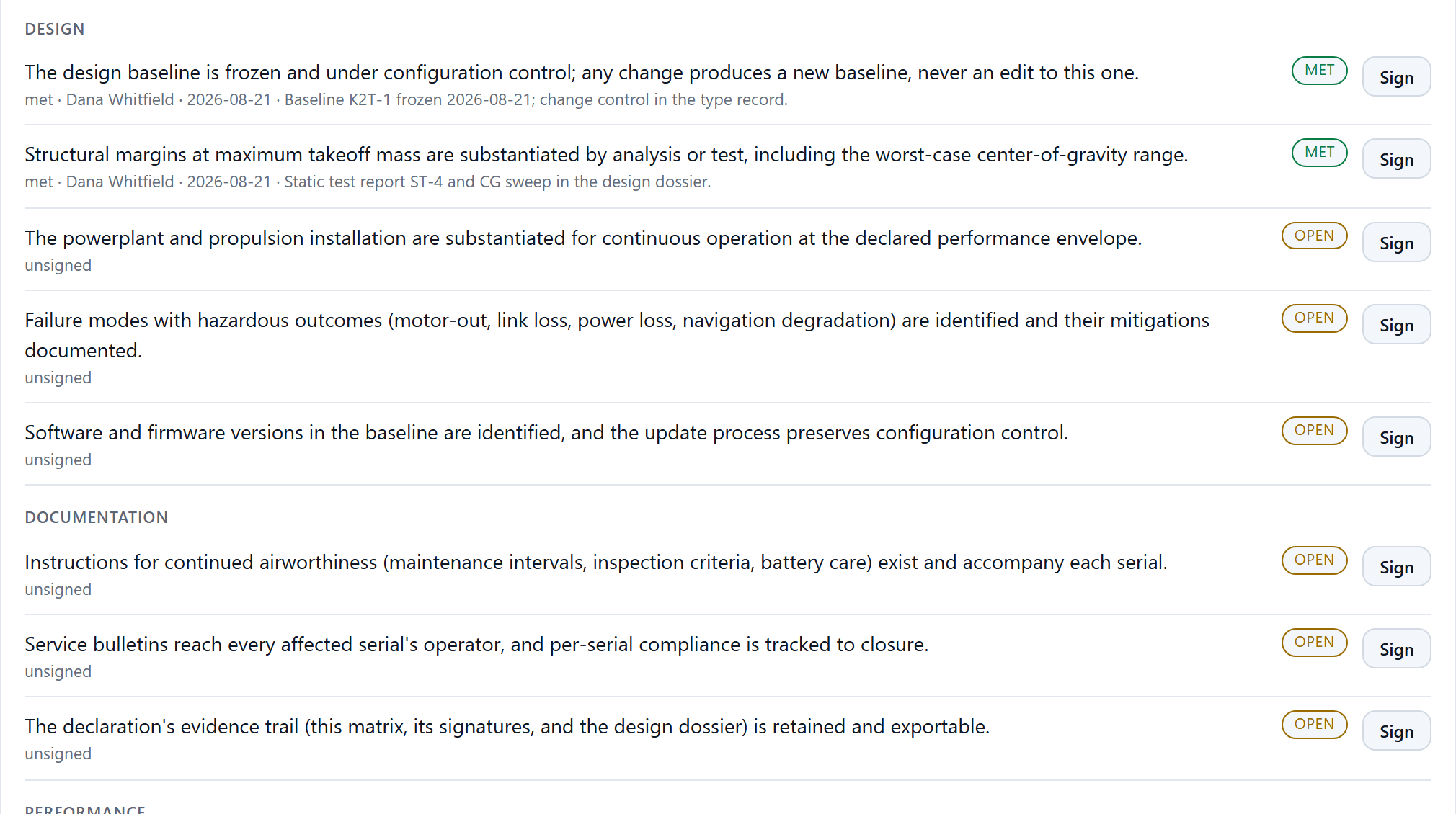
The declaration matrix as it looks in the product: status, signer, date and evidence on every requirement — open items honestly open.
Anyone can re-run the physics behind your numbers, in their own browser. Nothing is taken on faith.
One click renders the design dossier — baseline, the declaration matrix with signers, per-serial conformity, bulletin compliance. It carries a verification code anyone can check at rotorlab.app/verify, so your substantiation stands on its own the moment it leaves your hands.
Build it so that “show me how you know it conforms” is a question you look forward to.
Airworthiness acceptance is coming, and the buyers who move first are already asking for substantiation. A records-first bench is the cheapest insurance you will ever buy against that question.
Buyers and primes ask where the aircraft came from and how you know it conforms. Your answer is a verifiable record set with its own code, built as a side effect of how you already work.
New manufacturers do not have decades of quality-system habit. RotorLab seeds the requirement skeleton, the bulletin flow and the conformity records, so the culture ships with the tooling.
The performance numbers in your dossier come from a published, cross-checked flight-physics engine, calibrated by measured hover telemetry. Easy never means shallow here.
RotorLab records your compliance program and makes it verifiable. It does not certify aircraft, and it never claims a regulator's authority — which is exactly what makes the records worth handing over.
Start in the Builder this afternoon. Freeze a type, sign a declaration, and render a dossier before your trial is out.
Flight physics, fleet operations and what shipped — written for people who fly. No spam, unsubscribe in one click.