A UAS operations manual builder that reads your records.
Written once in a word processor, an operations manual becomes fiction: it describes a fleet that has changed and pilots who have left. Here the aircraft list, the roster and its currency, the maintenance limits, the checklists in use and the authorizations held are read from the records you already keep. Publish a revision and it freezes, signed; move on and the manual tells you exactly how far.
14-day trial, no card, for up to 5 people and 3 registered aircraft. The manual needs the Fleet Manager add-on; see pricing.
Read the full guide in the docs →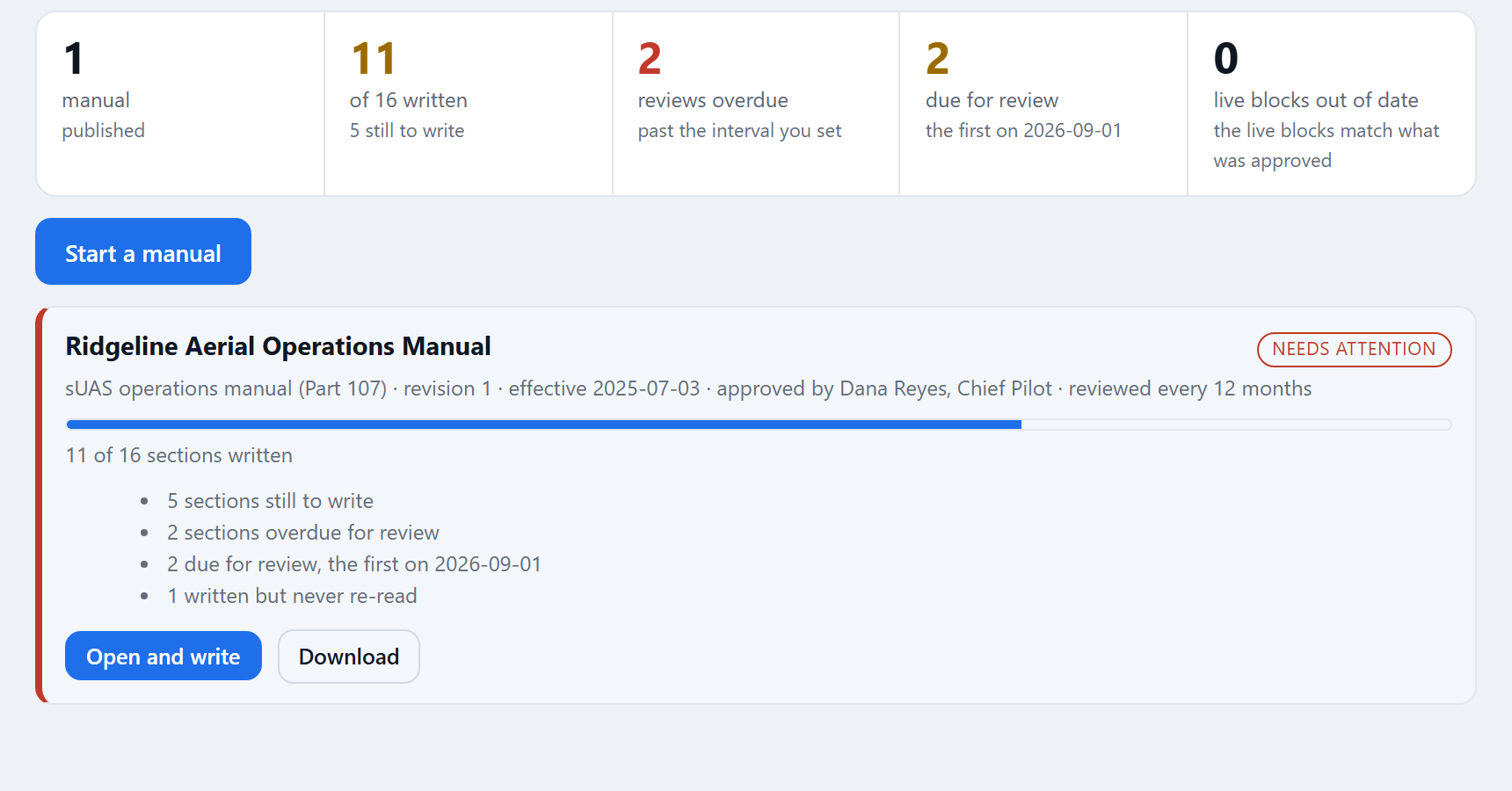
What changes when the manual is a record
Used by the chief pilot who writes it, the accountable manager who signs it, and whoever hands it to a regulator, an insurer or a client.
It starts where you fly.
A new manual starts from the outline for your organization's country, asking its questions in that regulator's terms. A UK outline asks about your operating category and Flight Restriction Zones and carries no US rule.
Registered means in the manual.
The sections that can be true automatically are rendered from the records. The roster, the aircraft register, the limits in force and the authorizations held are never retyped.
What was approved stays approved.
A published revision freezes the prose and the live blocks exactly as they read, with a content hash and a verification code. Revision 3 in next year's binder is revision 3 as it was signed.
An outline for each of 11 jurisdictions
Outlines are offered only for the countries your organization operates in. The United States has several: a Part 107 sUAS manual, public safety and DFR program manuals, agriculture, delivery, infrastructure inspection, media and film, an education program, a Part 135 general operations manual laid out against each paragraph of 14 CFR 135.23, and a Part 137 agricultural manual for spray and spread work.
- Each section carries its guidance. The question it answers, why it exists, a model answer, and the rule it was written against where one applies, with the date that rule's text was last read.
- Add a shipped section, or write your own. Your own sections are yours: no release ever rewords, renumbers or removes them.
- A general outline that cites no country. Offered everywhere, with a battery handling and transport section that asks which dangerous-goods rules apply to you.
Operating in a second country brings its sections into the list. See what RotorLab keeps for each country.
Live blocks: sections that read your records
A live block supplements its section; it does not write it. "How an aircraft is brought into service" is prose, and a table of aircraft is not an answer to it.
The aircraft register
Name, registration, model, serial, status, hours and flights. The Part 107 and public safety outlines add a registration, marking and Remote ID section on the same block.
Flight and aircraft records →Currency rules and the roster
Every requirement the pilots' standing is measured against, with whose rule it is: the regulator's, or yours. Then each pilot's standing in words.
The program and its limits
Each aircraft's tasks, intervals, references and standing, with the life-limited components as a second table, counted down from the flights on record.
Maintenance on real hours →The cards in use
The checklist templates your crews actually complete, so the planning and briefing section names the real cards.
What you hold and its standing
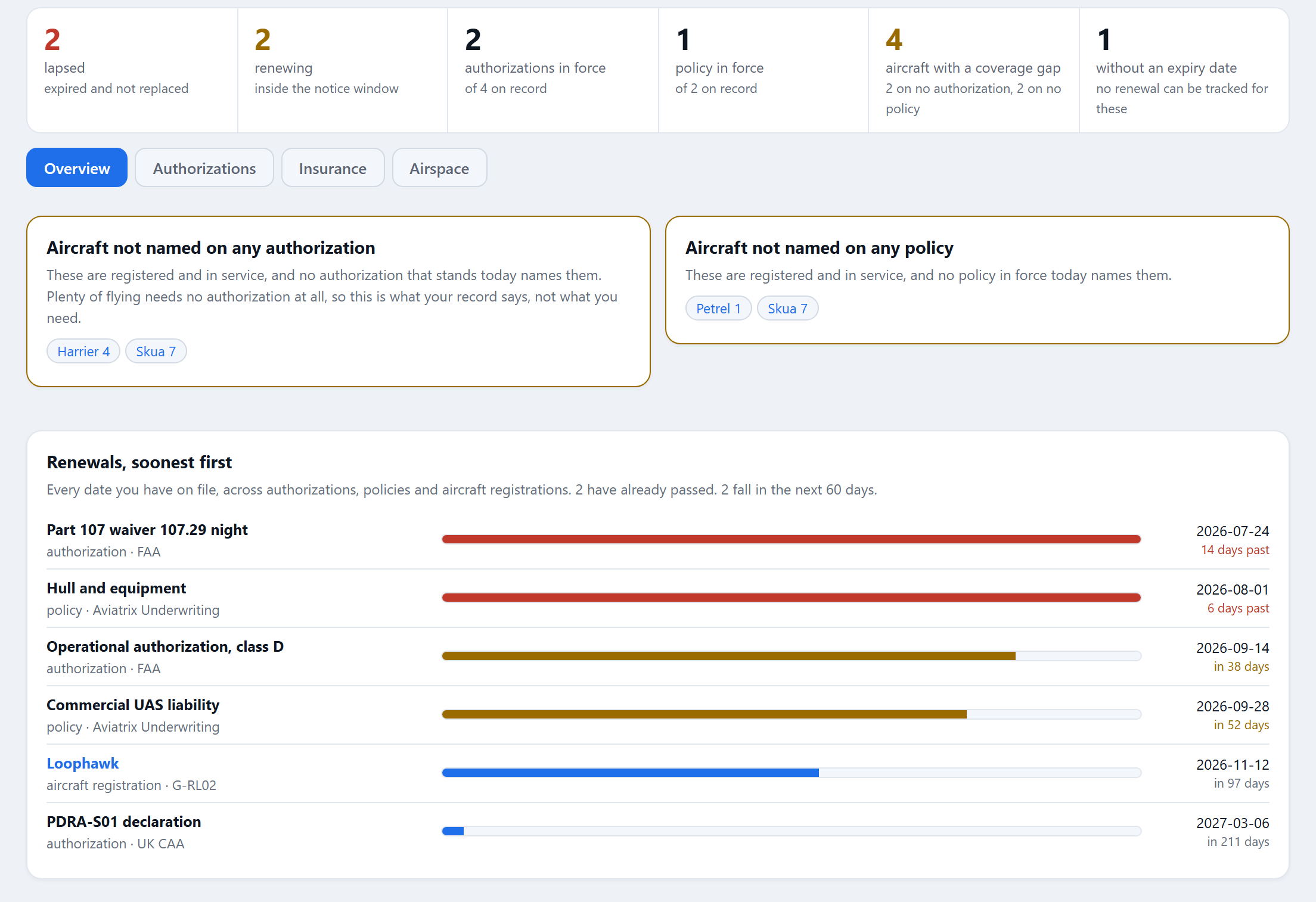
The authorizations held and their standing on the day. A waiver that ran out is visible in the manual, not buried in a drawer.
The safety register
The New Zealand outline and the Part 135 manual read your hazard register in their safety management sections, so the risk chapter is the register, not a description of one.
Safety management →From interview to signed revision
Each section is a card with the question it answers in bold. Saving a section marks it reviewed today, because somebody who has just rewritten it has just read it.
Start from an outline
Title, structure, the approver's role, effective date, and how often you undertake to re-read each section.
Write the sections
Filter to what is not written or overdue, and jump to the next section needing work. Optional sections carry a Not in this manual toggle.
Publish a revision
Approved by your account's name, with role, on behalf of, and what changed. Refused while any included section is empty.
Watch for drift
The records are compared with the approved revision, item by item. When the manual reflects the change, publish again.
The manual reports its own drift
Every published revision stores a digest of what each live block said. RotorLab compares those digests with what the records say now and gives a precise answer: which blocks changed, what was added, what is no longer present.
- Drift has a second half. When RotorLab corrects the shipped guidance behind a section you took, the manual lists it with the version you took and the one now shipped. Reported, never applied: your words stay as you wrote them.
- Sign-offs carry the revision. Every training sign-off stamps the manual revision in force, and a read-and-sign requirement lists everyone who has not yet signed the revision in force.
- What it does not do. RotorLab does not monitor regulations. Sections carry their citation and the date somebody last read them, and the export says so in its basis statement.
Export, and what the export says about itself
The approved manual, never the working copy, unless you ask for the draft, which is marked DRAFT, NOT APPROVED on every page and carries no verification code.
The revision as a document
Title page with revision number, approver, effective date and content hash, every section with its citation, the live tables, and a closing verification block.
A revision block a reader recognizes
The same revision with a verification code over the whole text, each section exactly as written, and standings printed in words.
Check a document code →Inside the audit binder
The binder carries the latest published revision in both forms, beside the revision's content as approved, so an auditor can tie the manual in the binder to the day it was signed.
Audit and evidence →Questions about the manual
The short answers. The long ones are in the docs, and sales will walk through your program.
What is a UAS operations manual builder?
Software that produces an operations manual from a structured interview rather than a blank page: an outline for your jurisdiction, a question and guidance for every section, and a controlled way to approve, revise and export it. RotorLab's also reads the sections that can be true automatically from your records and reports when they drift from the approved revision.
Do I have to start from a template?
No. Start from a blank manual and write every section yourself, or take an outline and add, switch off and reorder sections. Sections you write never appear in template drift.
Does RotorLab tell me when a regulation changes?
No, and it says so in the document itself. It keeps an honest review clock: each section carries its citation and the date it was last re-read, and the manual flags a section overdue on the cadence you chose. Software that implied it was watching the Federal Register for you would be worse than software that keeps that clock.
What does an insurer or regulator receive?
The latest published revision as plain text or PDF, each with a verification code anyone can check at rotorlab.app/verify with no account, or the whole audit binder with the manual inside it.
Can I keep more than one manual?
Yes, up to 20 per organization: a Part 107 manual and a public safety manual, say, or one per country you operate in. Each has its own structure, approver, review cadence and revision history.
Write the manual once. Keep it true.
Talk to us about your program, or start a trial and lay out your first manual today. Free to try first: read a flight log with no account.